So, you’vepurchaseda RSAWEB LTE package. Depending on the package you selected, you’ll either have a capped or uncapped LTE service. Understanding the difference will help you know whether you need to purchase a Top-Up or a Booster Package.
A capped LTE package comes with a set amount of monthly data.Once you’ve used all of your allocated data, your internet access will stop until you purchase a Top-Up. A Top-Up adds more data to your account so you can continue browsing at full speed.
Uncapped LTE
An uncapped LTE package gives you unlimited data, but it operates under an Acceptable Usage Policy (AUP).
An AUP is designed to ensure everyone on the shared LTE network enjoys a fair and reliable internet experience. Once you reach your package monthly usage threshold, your connection remains active, but your speed may be reduced.
The reduced speed depends on your LTE package and can range from 512 Kbps to 2 Mbps. Maximum LTE speeds vary by package, ranging from 20 Mbps to 100 Mbps.
If you’d like to restore your connection to full speed after reaching your AUP threshold, you can purchase a Booster Package.
How to Purchase a Top-Up or Booster Package
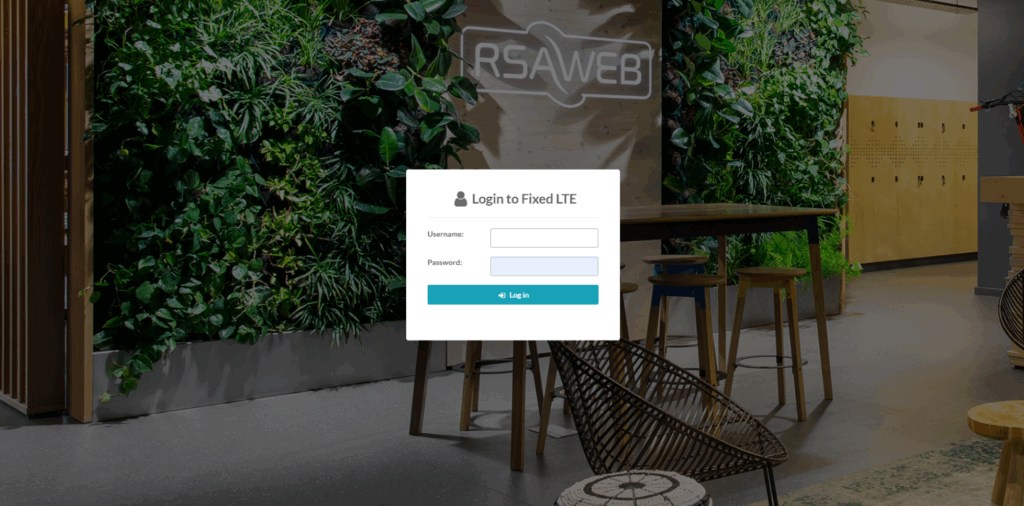
Purchasing a Top-Up or Booster Package is quick and easy through the MyRSAWEB Portal.
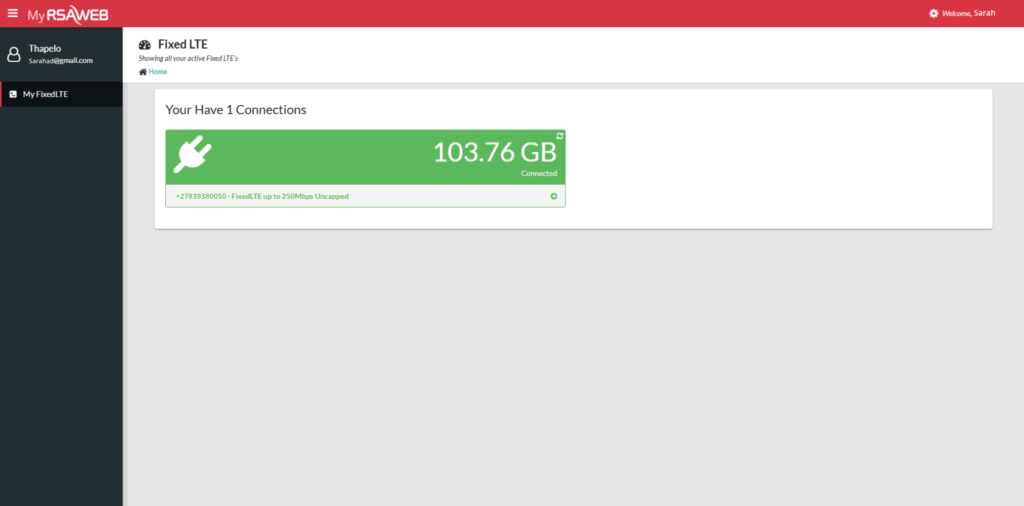
Step 2: On the Fixed LTE Portal select your LTE service
Step 3:
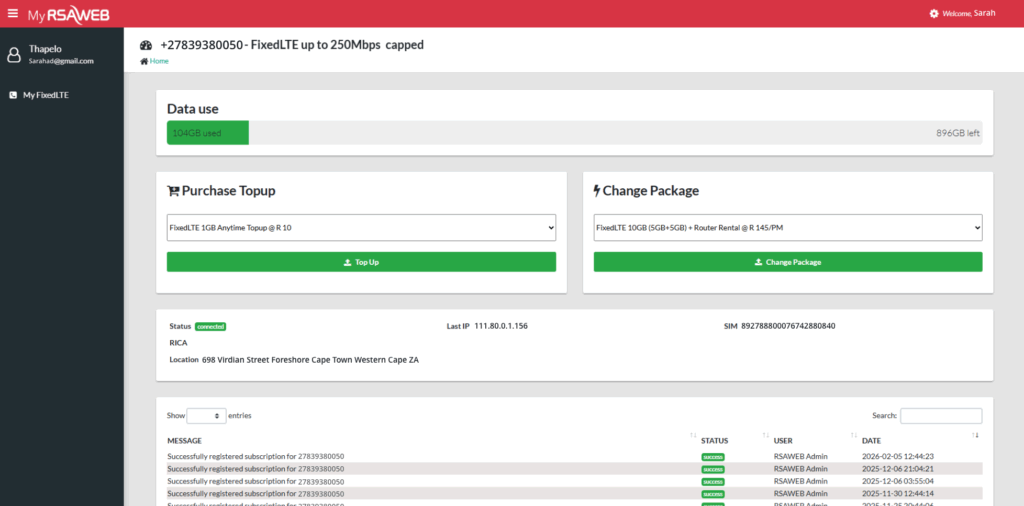
If you’re on a capped package, select Purchase Top-Up to add more data.
If you’re on an uncapped package and your speed has been reduced due to the AUP threshold, select Purchase Booster Package to restore your connection to full speed.
Need Assistance?
If you need help managing your LTE service, our customer support team is ready to assist you via Live Chat or WhatsApp.
So, you’vepurchaseda RSAWEB LTE package. Depending on the package you selected, you’ll either have a capped or uncapped LTE service. Understanding the difference will help you know whether you need to purchase a Top-Up or a Booster Package.
Capped LTE
A capped LTE package comes with a set amount of monthly data. Once you’ve used all of your allocated data, your internet access will stop until you purchase a Top-Up. A Top-Up adds more data to your account so you can continue browsing at full speed.
Uncapped LTE
An uncapped LTE package gives you unlimited data, but it operates under an Acceptable Usage Policy (AUP).
An AUP is designed to ensure everyone on the shared LTE network enjoys a fair and reliable internet experience. Once you reach your package monthly usage threshold, your connection remains active, but your speed may be reduced.
The reduced speed depends on your LTE package and can range from 512 Kbps to 2 Mbps. Maximum LTE speeds vary by package, ranging from 20 Mbps to 100 Mbps.
If you’d like to restore your connection to full speed after reaching your AUP threshold, you can purchase a Booster Package.
How to Purchase a Top-Up or Booster Package
Purchasing a Top-Up or Booster Package is quick and easy through the MyRSAWEB Portal.
Step 2: On the Fixed LTE Portal select your LTE service
Step 3:
If you’re on a capped package, select Purchase Top-Up to add more data.
If you’re on an uncapped package and your speed has been reduced due to the AUP threshold, select Purchase Booster Package to restore your connection to full speed.
Need Assistance?
If you need help managing your LTE service, our customer support team is ready to assist you via Live Chat or WhatsApp.